there are a some environmental shaders that are used in Shard Master, the level that was shown in first post has shaders for lava and the toon shader for the level it self. This post will explain how they were made.
so the starting node here is a custom function that run HLSL code to retrieve lighting information from the scene, currently there is no built-in node that does this, but Unity does provide a custom function node that can run HLSL code. The custom lighting function is based on this article provided by unity, it goes over different types lighting techniques and how to use them with the custom function node in shader graph.
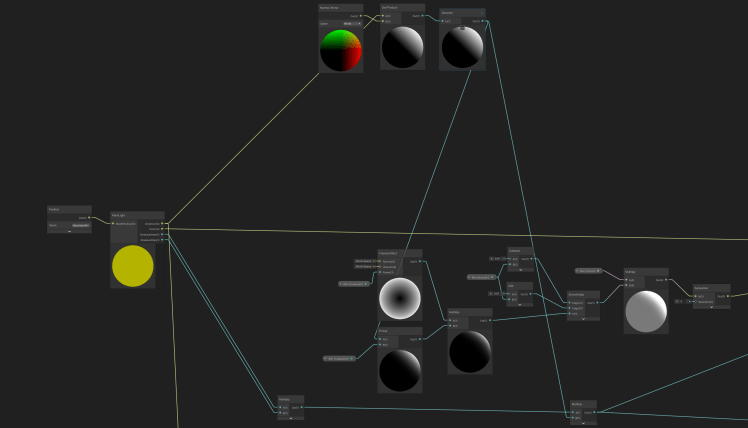
this graph uses a custom light node to get the direction, color, distance attenuation, shadow attenuation and world position of the object. The direction of the light i used in a dot product with the normal vector to get the diffuse base lighting, using the saturate node to clamp the results between 0 and 1.
the values from the dot product is then used into the calculation of the frensel effect in the power node that controls the threshold. Passing the results into a smoothstep for more control over the effect this is the rim lighting part of the shader.
The other two properties of the main light node, the results of DistanceAtten and ShadowAtten is multiplied with the dot product and passed as an output for shadow calculation at a later stage.
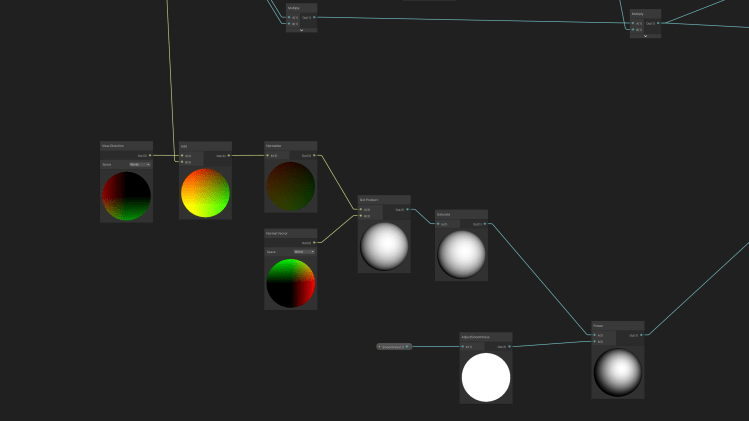
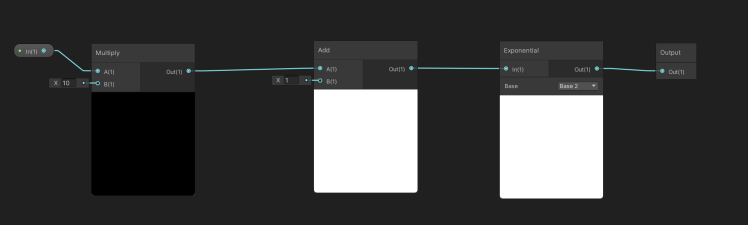
the normalized results of the light direction and view direction is used in the dot product calculation with the normal vector the results is passed into a smoothness node for more control over effect, This will grow and shrink the specular highlight as desired depending on the need
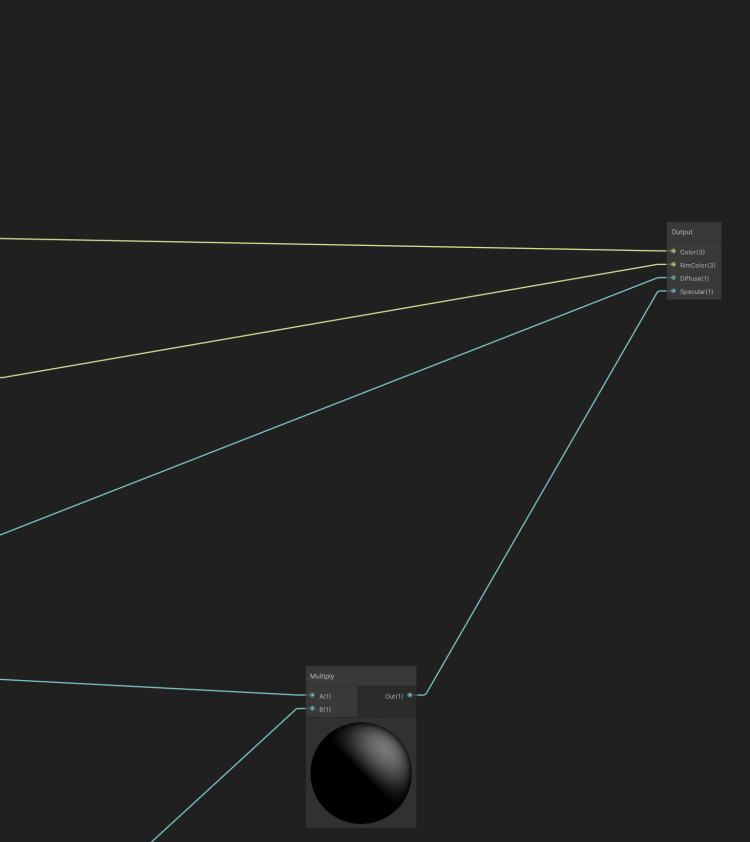
the specular light is multiplied with the shadow calculation, the diffuse main light color is passed out directly unmodified.
 Thanh Hon